
Is This Really OnHires? How to Verify a Recruiter and Spot a Job Scam
Recruiting
October 14, 2026

Maiia
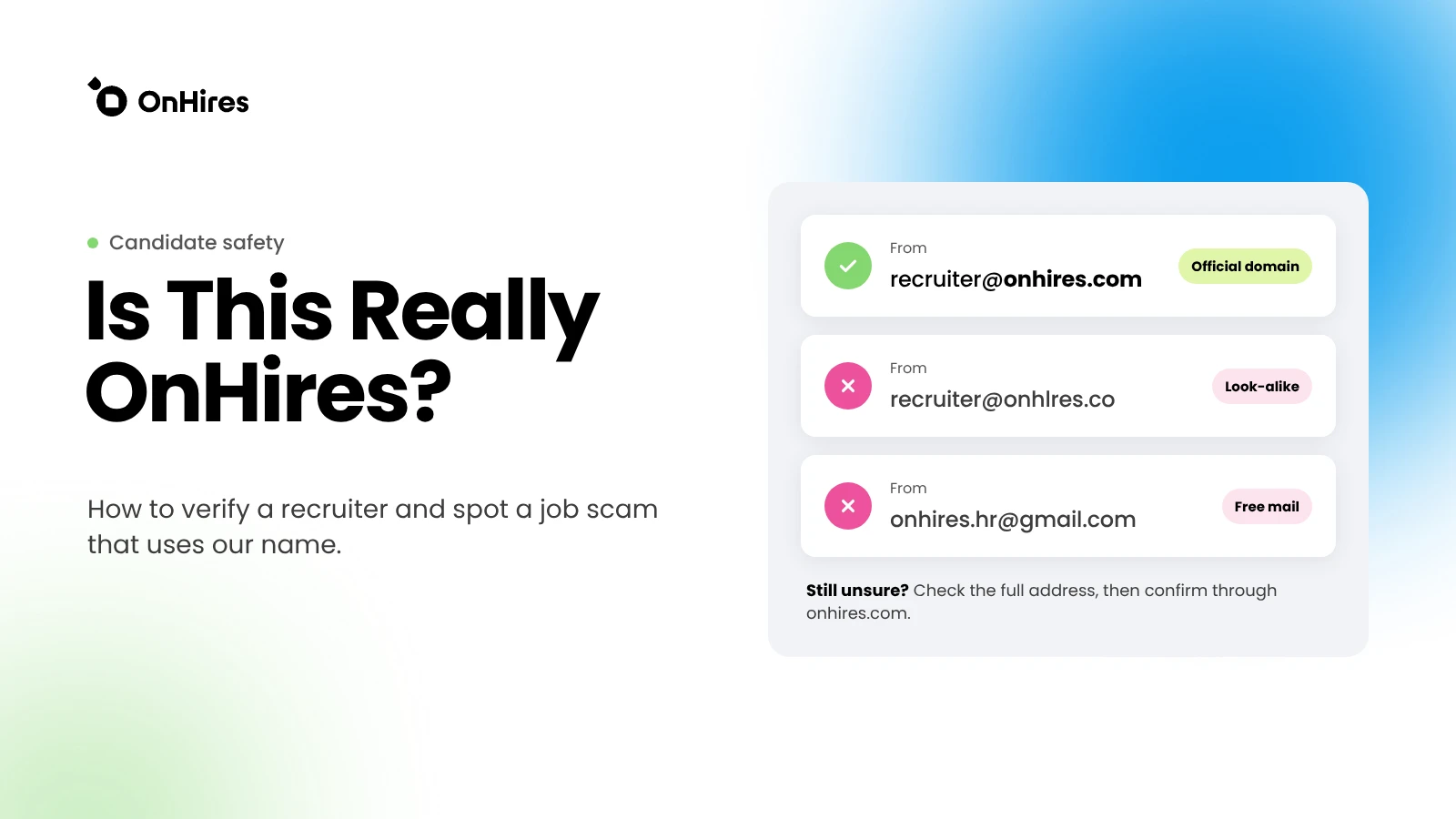
If someone has offered you a job "on behalf of OnHires" and something feels off, pause before you reply. You can check in a few minutes whether the message really comes from our team.
The short version:
- Check the full sender address. Official OnHires email addresses end exactly in @onhires.com.
- Don't click links, open attachments or share personal or financial details until you've verified the sender.
- Confirm the contact through a channel you find yourself on onhires.com, not through the links or numbers in the message.
- Not sure? Forward the message to hello@onhires.com and we'll tell you whether it's us.
Why you might get a fake message "from OnHires"
OnHires is a global tech recruitment agency. Our recruiters really do reach out to candidates, often about roles they didn't apply for. That's how headhunting works, and it's also why scammers like to borrow the names of recruitment companies.
A familiar brand makes a fake offer look credible. Company names, logos, job titles and even real employees' names are easy to copy from public websites and LinkedIn. Someone can then write to you from a different email address or a new social profile and claim to be us.
Getting a message like this doesn't mean you did anything wrong, or that your data was leaked by us. It means someone is using our name, and it's worth taking a moment to check.
How to check the sender
1. Look at the full email address, not just the name
Anyone can set the display name of an email to "OnHires Recruitment" or to the name of a real team member. What matters is the address behind it.
- On desktop, hover over or click the sender name to see the full address.
- On mobile, tap the sender name to expand the details.
- Check that the domain after the @ is exactly onhires.com.
Watch out for addresses that look close but aren't the same, for example:
- swapped or added letters: onhlres.com, onhire.com, onhiress.com
- extra words or hyphens: onhires-careers.com, onhires-recruitment.com, onhires.jobs
- a different ending: onhires.co, onhires.net
- our name on a free mail service: onhires.hr@gmail.com or similar
- our domain placed before another one: onhires.com.example.net
Also check where replies would go. If the "Reply-to" address differs from the sender address, treat that as a warning sign.
A correct domain is a good sign, but not a guarantee. Email addresses can be spoofed and accounts can be compromised. If a message asks you to do something unusual, verify it through an independent channel as described below.
2. Check the person on LinkedIn
Our recruiters often reach out through LinkedIn. If someone contacts you there, take a closer look at their profile:
- Current position: does it list OnHires, and does it link to our official company page? A company name typed as plain text, without the logo link, is weaker evidence.
- History: does the profile look established, with real work history, activity and connections? A brand-new profile with few connections and a stock-looking photo deserves caution.
- Consistency: do the name, title and photo match what the person told you, and the email address they use?
- Company page: open our LinkedIn page and look at the "People" section to see whether the person appears there.
All OnHires recruiters have LinkedIn's verification badge on their profiles. A missing badge is a reason to check with us. A badge on its own still isn't proof that someone is acting on our behalf right now. Profiles can be faked, and real accounts can be taken over. Use LinkedIn as one check, not the only one.
3. Confirm through a channel you found yourself
This is the most reliable step. Don't use the phone number, link or email address provided in the suspicious message. Instead:
- Open onhires.com by typing it into your browser or using a bookmark.
- Find our contact details there.
- Ask us whether the person and the offer are real. Include the sender's name, the address or profile they used, and the role they offered.
We'll confirm whether that person works with OnHires and whether the role is one we're recruiting for.
Our official channels
- Website: onhires.com. Type the address yourself rather than following links from a message.
- Email: addresses ending in @onhires.com; general inbox: hello@onhires.com. Check the full address and the reply-to address.
- LinkedIn company page: linkedin.com/company/onhires. Recruiter profiles should link to this page.
- Open roles: jobs.ashbyhq.com/onhires. Lists jobs we're currently hiring for, including for our own team.
- Phone: +1 307 218 7199, as listed on onhires.com.
If a channel isn't on this list or on our website, be extra careful and ask us before you engage.
Warning signs to look out for
The signs below are common to recruitment scams in general, based on public guidance from consumer protection agencies and other recruitment companies. Any one of them is a reason to stop and verify.
Requests for money
- Paying a fee to be considered, to "secure" a role or to receive an offer
- Paying for training, certifications, visas, background checks or equipment, with a promise of reimbursement later
- Receiving a cheque or transfer and being asked to send part of it somewhere else
- Buying gift cards or cryptocurrency for any reason
Our rule: OnHires does not charge candidates any fees. If someone asks you to pay anything to work with us or to get a role through us, it's not OnHires.
Requests for sensitive data
- Bank card or bank account details before you have a signed contract with a known employer
- Passwords, PINs, or one-time verification codes sent to your phone or email
- Copies of your passport or ID requested early, through an unofficial channel, or with no clear explanation of who will receive them
No real recruiter needs your passwords or one-time codes. If someone asks for a code you just received, it's almost certainly an attempt to take over one of your accounts.
Suspicious links and files
- Links to "application portals" on unfamiliar domains, or that ask you to log in with your email or LinkedIn password
- Attachments you didn't expect, especially archives (.zip, .rar), executable files, or documents that ask you to "enable content"
- Requests to install remote-access software or an unknown app
Pressure and urgency
- "Reply within the hour or the offer is gone"
- Requests to keep the conversation secret
- Insistence on moving to another app quickly, or on chatting only by text
Offers that are too good to be true
- High pay for little work, or a job offer without any interview
- Vague role descriptions, or a role unrelated to your experience
- A "hiring process" that skips straight to an offer or onboarding
- Interviews held only by chat, with no video or voice call
A real recruitment process usually includes a conversation about your background, at least one interview and a clear description of the role and the hiring company. At OnHires, the exact steps depend on the role and the hiring company.
What to do if a message looks suspicious
- Pause. Don't reply, and don't agree to anything yet.
- Don't click links or open attachments in the message.
- Don't share personal data, bank details, passwords or verification codes.
- Save the evidence. Keep the messages, the sender's address or profile link, and any phone numbers. Screenshots help.
- Verify the sender through an official OnHires channel you found yourself on onhires.com.
- Report the fake profile or message on the platform where you received it (LinkedIn, WhatsApp, your email provider), then block the sender.
What to do if you've already replied, shared data or paid
It happens, and acting quickly helps. Depending on what you shared:
If you only replied
- Stop the conversation and don't send anything else.
- Watch for follow-up messages that use what you shared, such as your name or your current employer, to sound more convincing.
If you shared passwords or verification codes
- Change the password for that account immediately, and anywhere else you used the same password.
- Turn on two-factor authentication.
- Sign out of all other sessions in the account's security settings and check for unknown devices or changes.
If you shared bank or card details, or sent money
- Contact your bank or card provider right away using the number on your card or their official website. Ask them to block the card or try to stop or recall the payment.
- If you paid in cryptocurrency or gift cards, contact the platform or the card issuer straight away as well.
If you shared ID documents or other personal data
- Watch for unusual activity in your accounts and for messages that claim to come from official organisations.
- Check what identity-protection or fraud-alert services are available in your country.
In every case
- Report the incident to your local police or national fraud-reporting service. In the US, you can report to the FTC at ReportFraud.ftc.gov and, for identity theft, at IdentityTheft.gov.
- Report the account or message to the platform where it happened.
- Let us know at hello@onhires.com. We can confirm whether the contact was ours, and your report helps us warn others.
Not sure? Ask us
If you've received a job offer or a message that mentions OnHires and you're unsure whether it's real, write to us before you act on it.
Forward the message to hello@onhires.com, or use the contact form on onhires.com. Please include the sender's name, the email address or profile they used, and a screenshot of the conversation. We'll tell you whether the person and the offer are connected to OnHires.
Checking takes a few minutes. It's always better to ask.
.svg)
.svg)